A modern experience, wherever you are

For many OpenText Content Management customers, modernization is a journey, not a switch. Classic View may still be deeply embedded in daily operations, while users increasingly expect more modern capabilities and experiences. This can create an uncomfortable middle ground: you know modernization is coming, but you still need to improve the experience users have today. The good news? You don’t necessarily have to wait.
Table of contents
Build for today, keep it for tomorrow
At AnswerConsulting, we can implement modern components that work within Classic View while also being designed for Smart View and JATO UI. This means organizations can address real business needs now, without investing in functionality that will have to be rebuilt later.
A recent project is a good example.
When the Project Outline disappears
For one of our customers, users work with large, complex project structures and rely heavily on the standard Project Outline to understand an entire project at a glance. As the organization moves from Project Workspaces to Business Workspaces, that familiar view is no longer available in the same way.
But the user need remains: see the structure, find information quickly and identify what may be missing. So we built Outline View.
A modern view inside Classic View
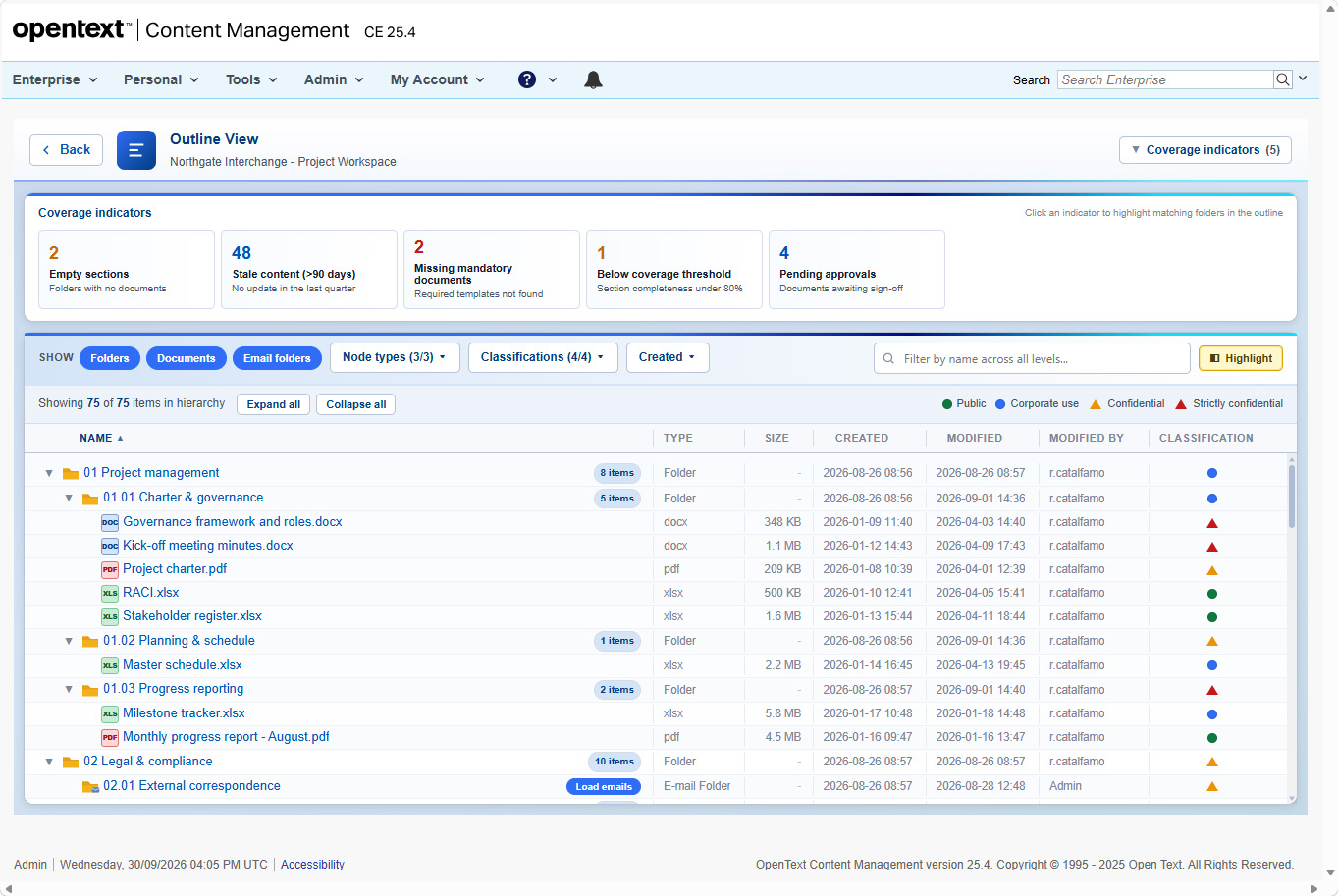
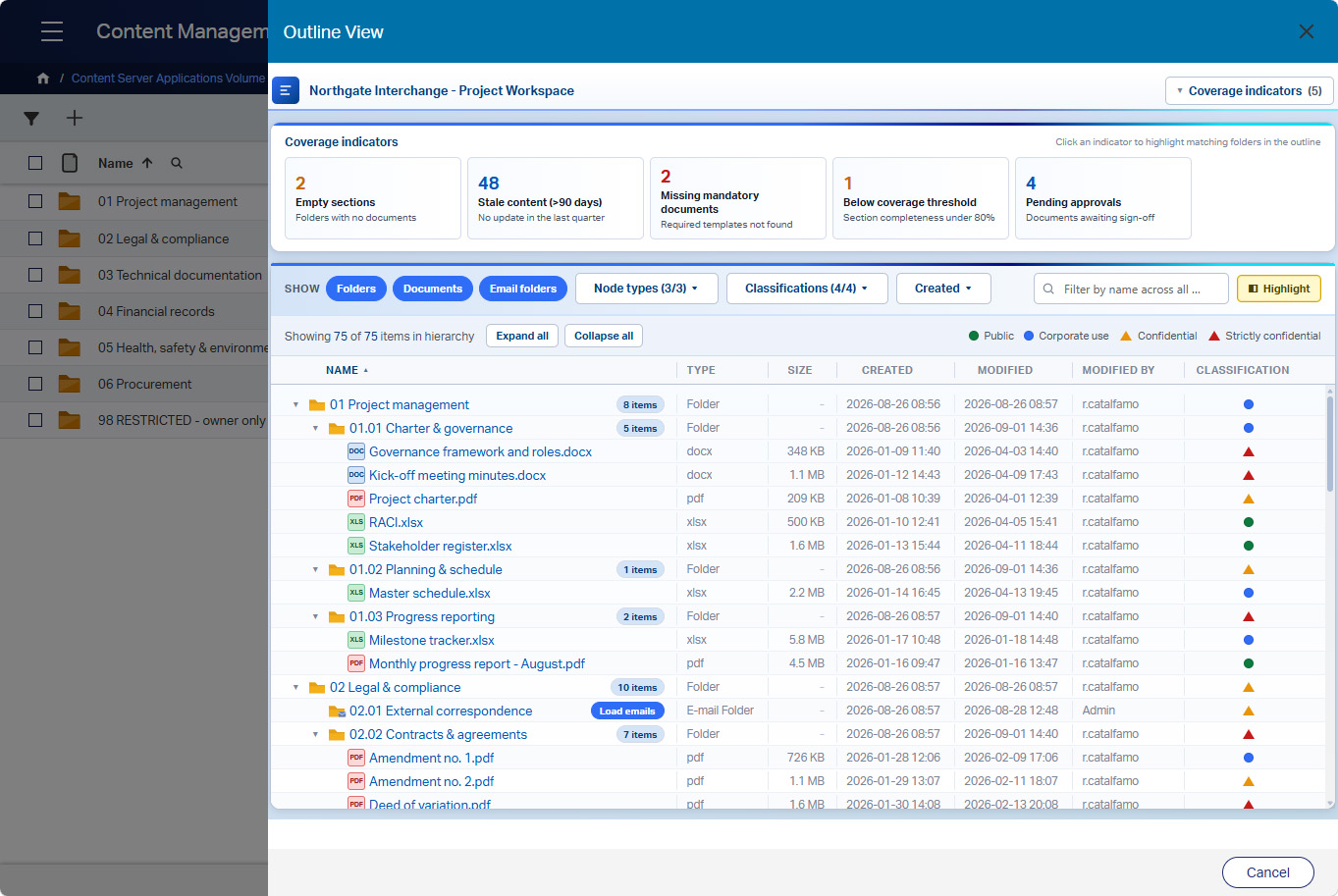
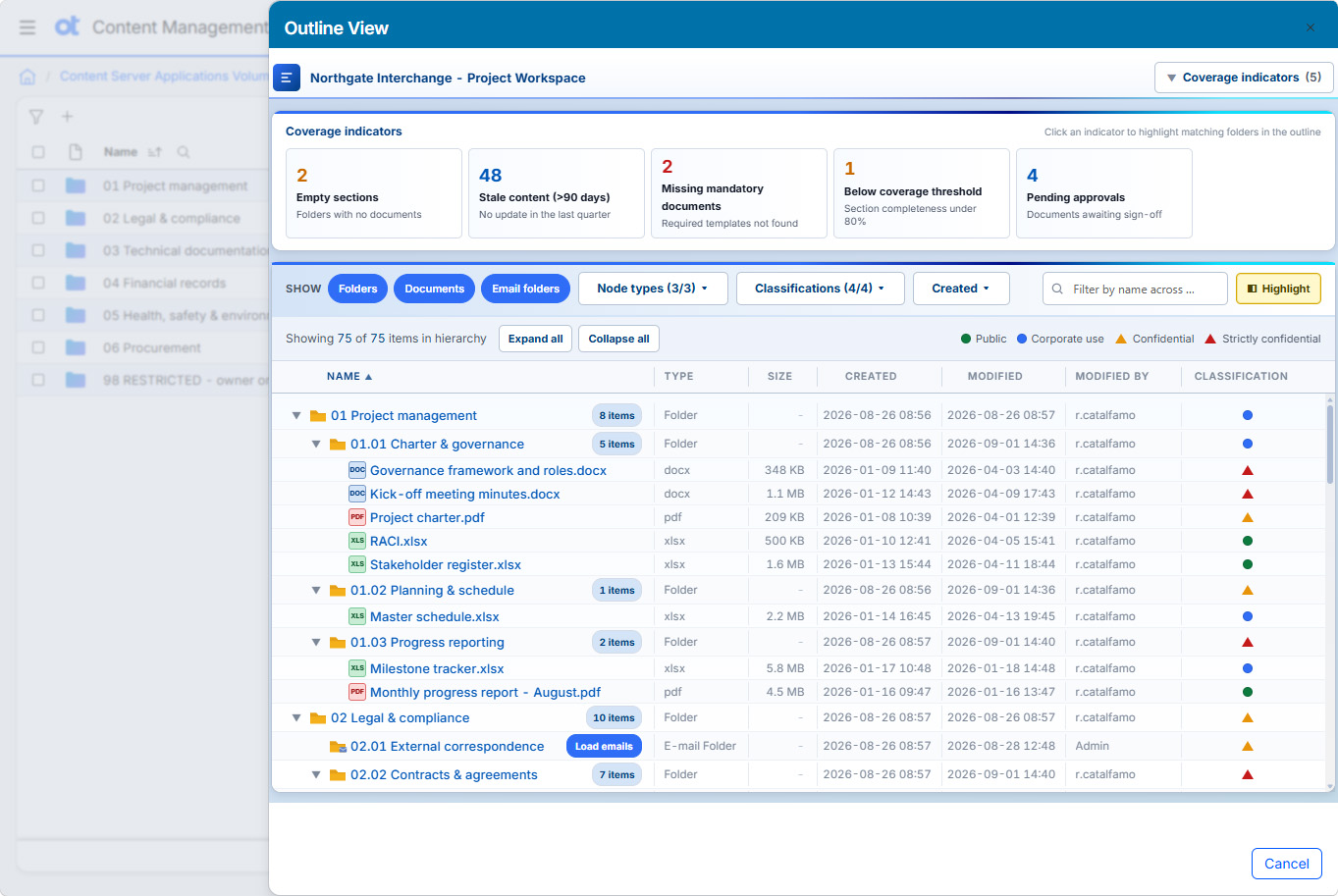
Outline View provides a dedicated tree-based view of a Content Management container, showing folders, documents, emails and other content in their actual structure. Users can expand branches, search by name and combine filters based on node type, classification, content category or creation date.
Most importantly, results stay in context. Find a document and you still see the folders around it, making it immediately clear where that content belongs within the project.
And the same experience works across Classic View, Smart View and JATO UI. The customer can introduce the capability today and keep using it as the interface evolves.

Built for large structures
The standard Project Outline relies on loading the tree before users can search it, often through Ctrl+F. That quickly becomes difficult as projects grow. A single mail folder, for example, can contain tens of thousands of migrated messages.
Outline View takes a more scalable approach. Smaller structures can load in full, while larger ones follow a configurable threshold so users retrieve only the branches they need. Mail folders remain closed until requested, avoiding unnecessary loading.
Search and filtering adapt accordingly, running either in the browser or against the complete hierarchy on the server. The experience stays consistent: find what you need without losing the structure around it.

More than navigation
Outline View can also highlight relevant gaps directly in the tree. The base version includes indicators for empty sections and stale content, helping users spot potential issues without opening folder after folder.

The mechanism is extensible, so additional indicators can be introduced depending on the use case. And because the view reads the existing Content Management repository, it respects the permissions already in place.
Modernization can start before the migration
Outline View solves a specific customer requirement, but the principle is broader.
Being on Classic View today does not mean every improvement has to wait until tomorrow.
With the right architecture, modern capabilities can already be introduced into the existing environment while remaining ready for Smart View, JATO UI and the next stage of modernization.
You don’t have to modernize everything at once to start moving forward.