How to modernize legacy ECM solutions
OpenText Content Management platforms provide organizations with a solid foundation to manage critical business processes and information. Over time, highly customized implementations may accumulate legacy components that become harder to maintain, extend, and adapt to evolving business needs.
Table of contents
Modernization helps preserve the value built over the years while simplifying architectures, improving maintainability, and creating solutions that are easier to evolve.
A modernization approach powered by Module Suite
AnswerModules’ Module Suite provides a modern low-code framework for Content Management, enabling organizations to progressively replace legacy customizations with configurable, reusable, and cloud-ready building blocks - without rebuilding everything from scratch.
As the consulting branch of AnswerModules, we combine deep Module Suite expertise with experience gained across more than 150 enterprise OpenText projects.
How we approach modernization
We start by assessing the existing implementation to identify legacy components, dependencies, complexity hotspots, and business-critical functionalities that need to be preserved or redesigned.
Based on this analysis, we define what should be reused, simplified, replaced, or reimplemented using Module Suite capabilities. The goal is to preserve the value of the existing solution while moving toward a cleaner, more flexible, and future-ready architecture.
Key areas of modernization
Workflow modernization
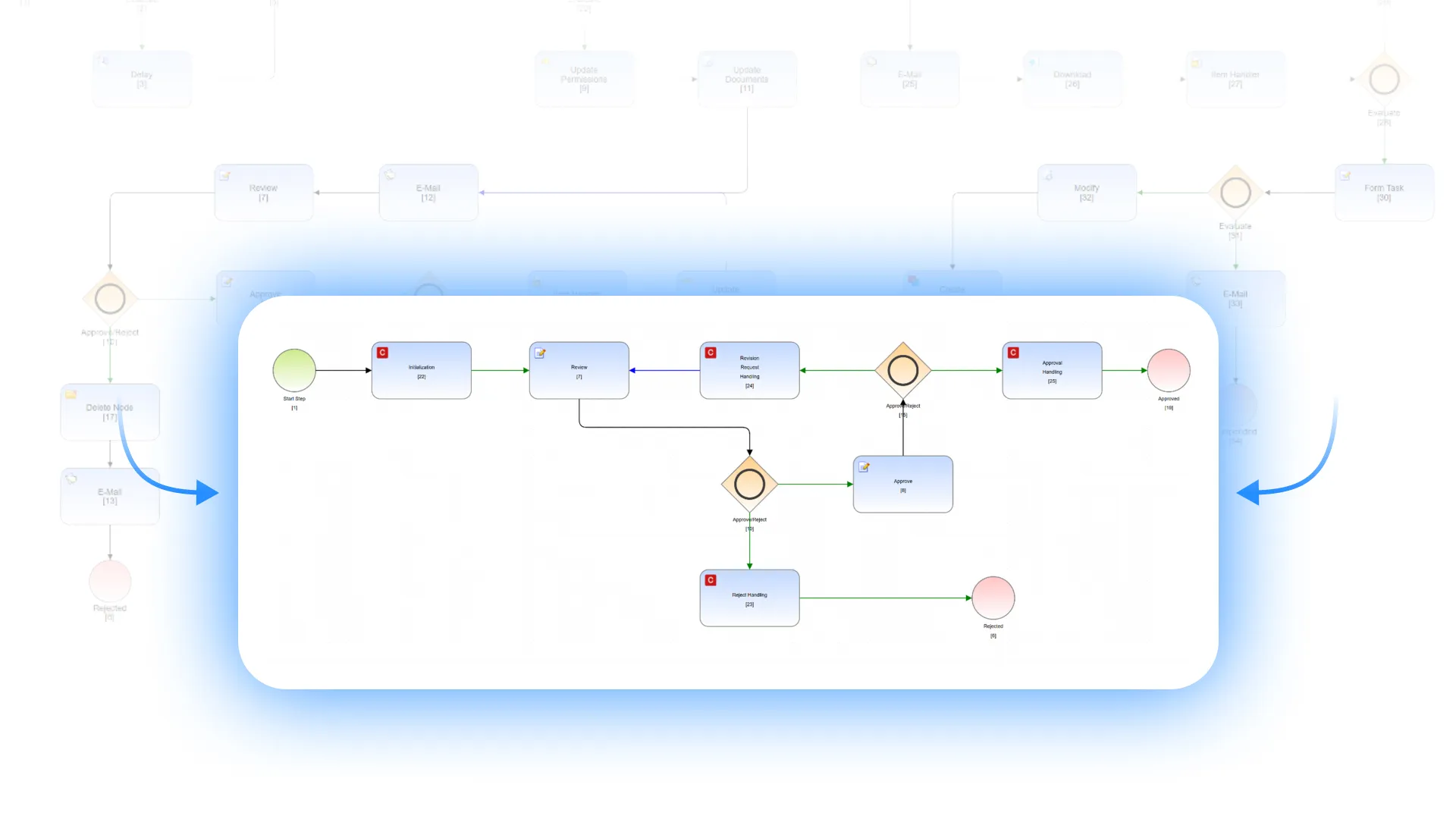
Legacy workflows often grow into complex maps with many technical steps for small operations. With Module Suite, these operations can be consolidated into Content Script logic, simplifying workflow maps while improving maintainability, readability, and execution performance.
Modern user experiences
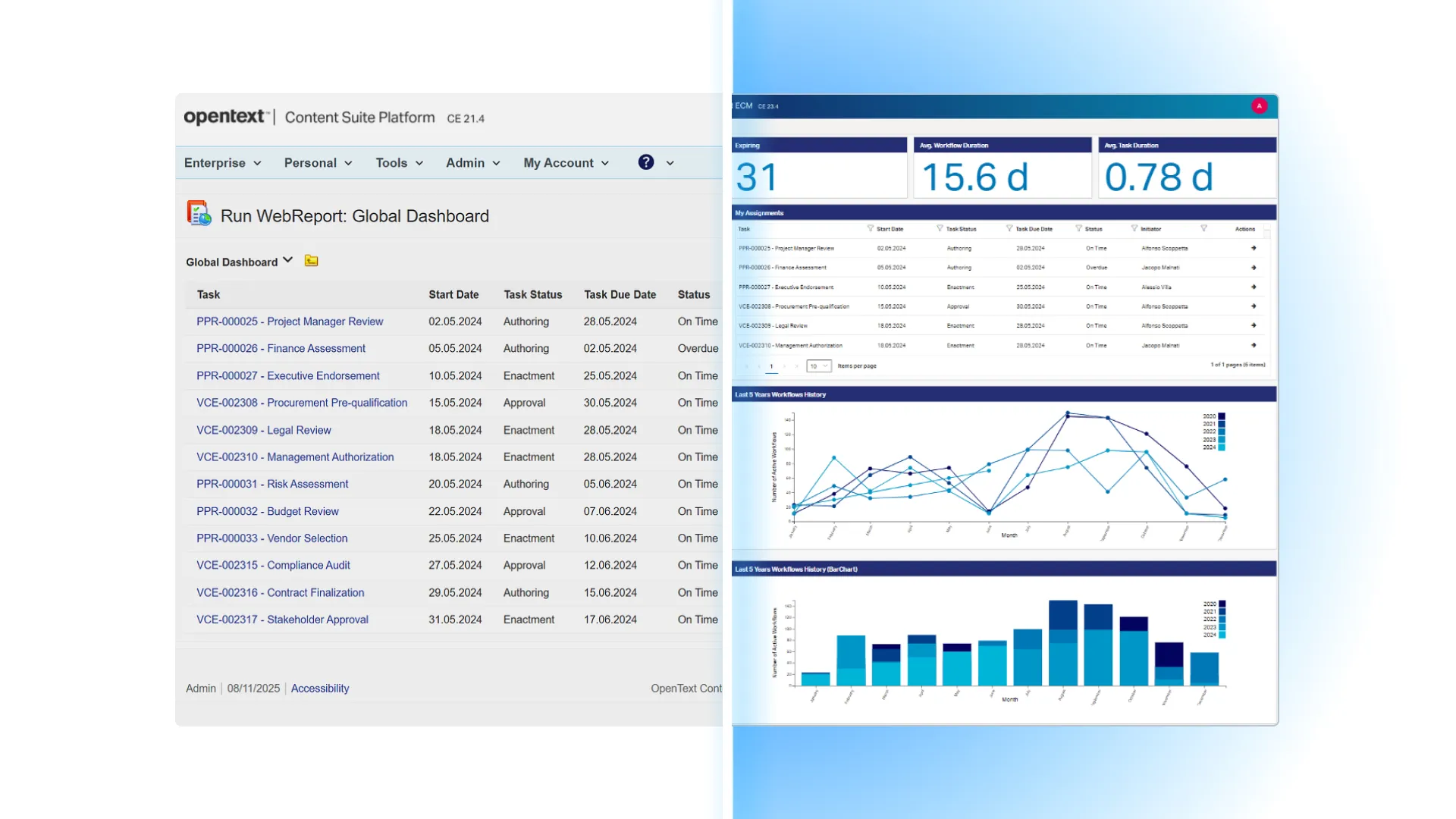
Legacy forms and dashboards are often heavily customized and difficult to evolve.
Using Module Suite’s low-code UI capabilities, we redesign forms, dashboards, and contextual views with reusable and configurable components that improve usability and daily interaction.
Containers and Business Workspaces
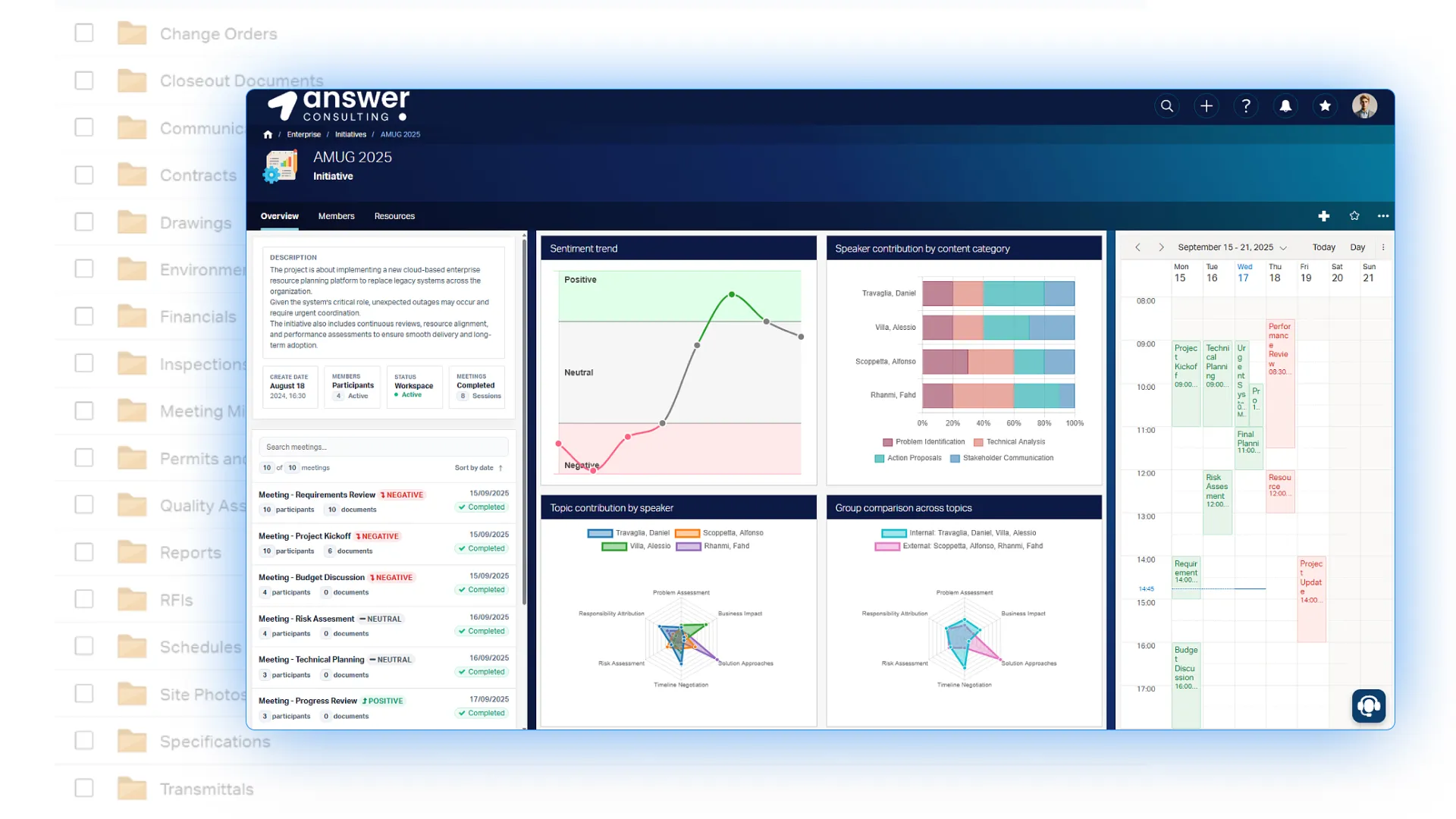
Traditional folder structures remain essential, but they may not provide the flexibility and context required by modern organizations.
By combining standard dynamic Business Workspaces with Module Suite’s customization capabilities, organizations can create more meaningful user experiences through configurable perspectives, reusable UI components, and low-code configuration tools.
Integration modernization
Many legacy integrations rely on custom code, file-based exchanges, or tightly coupled external systems.
Module Suite supports API-driven integrations using REST and SOAP services, simplifying maintenance while improving reliability and scalability.
Combining technology and expertise
Modernizing legacy Content Management solutions is an opportunity to simplify architectures, improve usability, and prepare the platform for future evolution.
By combining Module Suite technology with AnswerConsulting’s implementation expertise, we help organizations modernize their ECM platforms in a controlled, efficient, and future-ready way.